Delete data in InfoAsset Manager
Any referenced datasets can be downloaded from "Module downloads" in the module overview.
Delete data in InfoAsset Manager
Step-by-step guide
In InfoAsset Manager there are several methods of deleting network objects.
Since deletion is a destructive operation, it is helpful to add a safeguard in the form of a confirmation dialog.
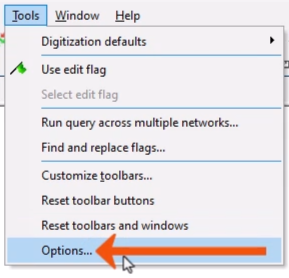
- From the Tools menu, select Options.
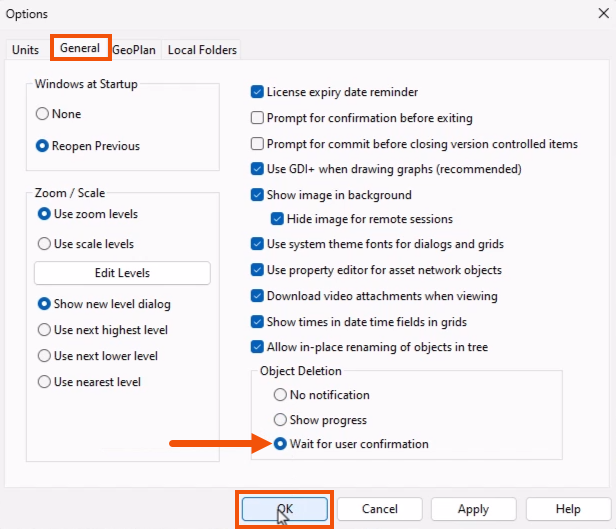
- In the Options dialog, switch to the General tab.
- Under Object Deletion, select Wait for user confirmation.
- Click OK to save the change.
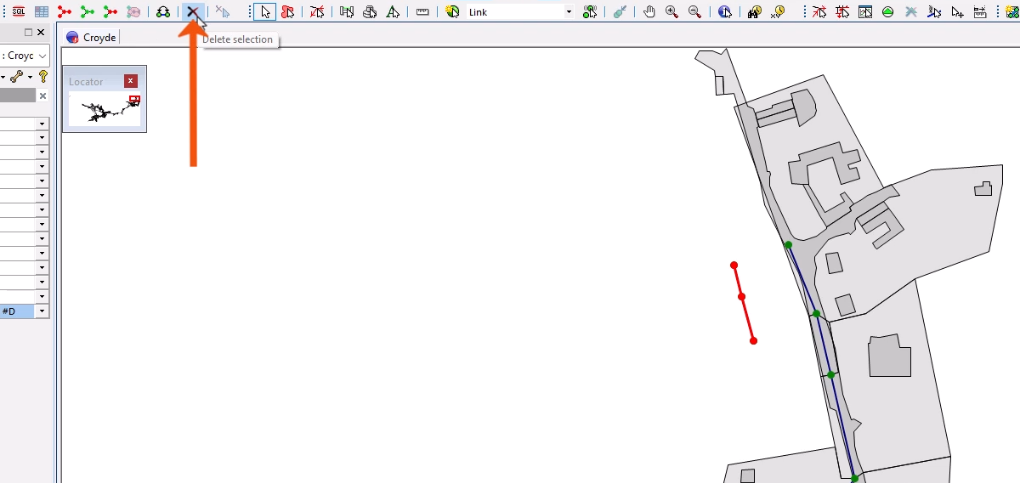
To delete selected objects from the GeoPlan:
- On the Selection toolbar, click Delete selection.
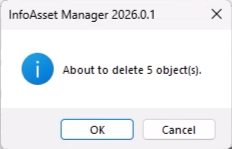
- In the confirmation popup, confirm or cancel the deletion.
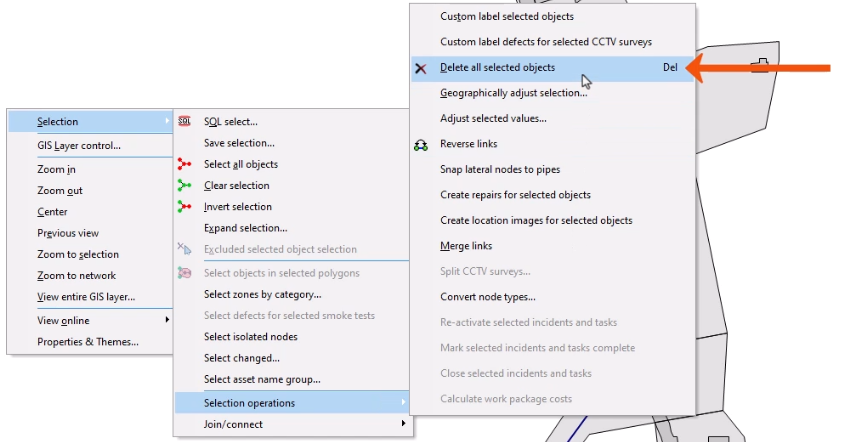
- Alternatively, right-click the GeoPlan, and click Selection > Selection operations > Delete all selected objects.
To delete objects from grid windows:
- Select one or more objects.
- Press Delete.
- Or, from the Selection toolbar, click Delete selection.

This technique only deletes the selected rows from a single grid. It does not remove any selected network objects from other grids.
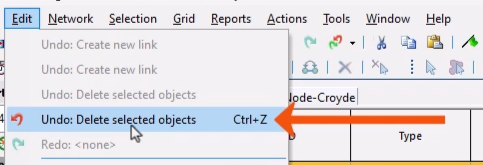
A deletion can be reversed, provided it is the most recent change made.
- In the Edit menu, select Undo.